The New Files Library: Powering Smarter Field Operations
Energos turns every file—photos, videos, manuals, and even external URLs—into actionable knowledge that lives inside your workflows. Technicians can capture videos and photos on-site, attach them directly to Work Orders or assets, and build a permanent visual history of equipment. Admins can add training clips, safety resources, and make/model-specific instructions that technicians must view before executing work. From troubleshooting to onboarding, Energos ensures every technician always has the right guidance at the right moment, transforming field operations into a standardized, safer, and more reliable system.
Energos Team
.png)
How Files Become Part of Asset History — and Why It Matters
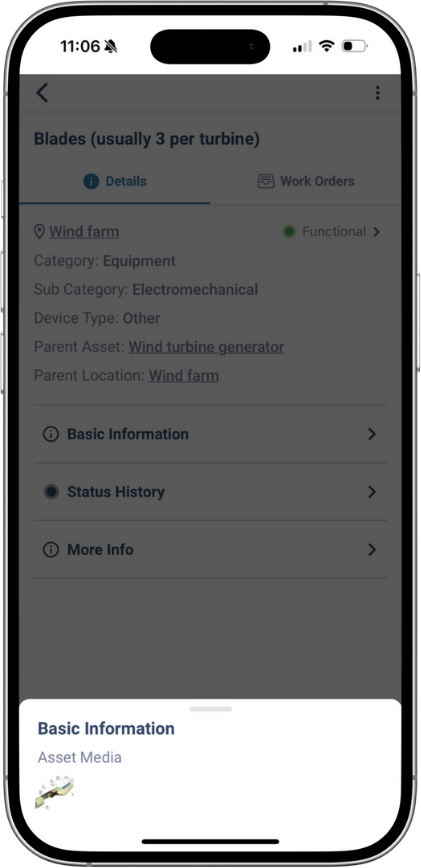
Every file you upload in Energos—photos, videos, PDFs, manuals, URLs—automatically becomes part of the asset’s historical record. That means future technicians can see a complete, chronological picture of everything that has ever happened to that equipment: past breakdowns, repairs, inspections, parts used, and now the visual evidence that explains how and why something was done.
This builds long-term institutional memory, reduces repeat mistakes, and dramatically speeds up troubleshooting.
Capturing Videos & Photos On-Site (Field Technicians)
When technicians visit a site, they can:
• Record short videos showing the exact issue or repair steps
• Take completion photos documenting “before/after” work
• Upload images or clips directly from their phone into the Work Order or Asset
• Tag files so supervisors can instantly review them
This ensures that every repair is visually verified and stored forever in the asset’s timeline—no more hunting through WhatsApp messages or personal device galleries.
Admins Can Attach Files to Work Orders to Guide Field Staff
Before a technician even begins work, an admin can attach:
- A short video explaining the required procedure
- A link to a manufacturer’s training video
- A PDF of the safety checklist
- Model-specific troubleshooting guides
- Photos that show the exact area to inspect or correct
This ensures technicians always see the right instructions at the right moment, even if they’re new to the equipment or the site.
You can even require technicians to acknowledge a safety video before they start the job.
Using External URLs for Training, Safety, and Compliance
Energos also supports attaching URLs so teams can link to:
- YouTube training videos
- OEM troubleshooting clips
- Safety procedure videos
- Vendor repair demonstrations
- External SOPs or regulatory guidelines
This eliminates the need to re-upload or store large files, while still making sure the content is available exactly when the technician needs it.
How This Helps Train Technicians and Standardize Knowledge
This approach is especially powerful for building a highly capable field workforce. Files in Energos help teams:
• Train new technicians using real videos from real sites
• Provide equipment-specific instructions based on make, model, and recurring site issues
• Ensure safety compliance by embedding mandatory viewing steps
• Simplify onboarding because all guidance lives inside the workflow
• Reduce errors by giving exact visual references rather than vague instructions
Instead of relying on tribal knowledge or memory, organisations create a repeatable, visual, step-by-step operating system that every technician follows.
Topics:
Product Update